Create Flow
SCC Team Project
Tool Used

Period
09/04/2024 - 05/31/2025
Target Audience
ASN Supplier

Study
Define Product
Study Current UI & UX

Analysis
User Feedback
Persona
Pre-Design
Goal
Strategy
TimeLine

Output
Design Iterations
User Testing
Documentation
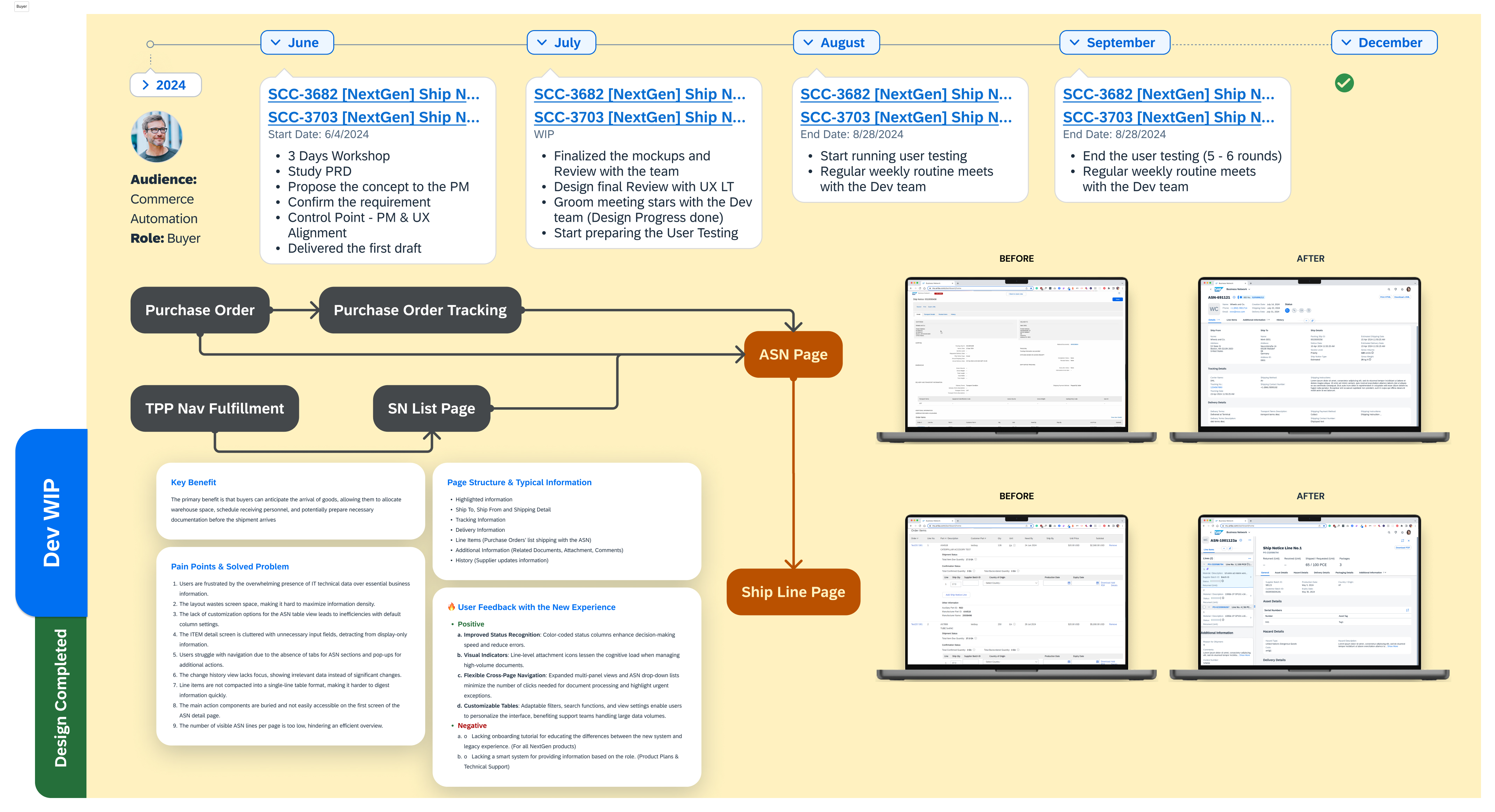
A supplier typically sends an Advance Shipping Notice (ASN) to a buyer to inform them that a shipment is on its way:
Provide details: ASNs include information such as the shipment date and time, purchase order number, and item detail.
Help with planning: ASNs help buyers plan for delivery issues and improve warehouse receiving processes.
Ensure accurate tracking: ASNs help ensure accurate shipment tracking and reconciliation.
Improve inventory management: ASNs help retailers and distributors manage their inventory and warehouses.
Update customers: ASNs can be used to send updates to buyers, including tracking numbers, and to finalize payment.
Over-information: Excessive input fields, including unnecessary ones, clutter the main creation page.
Lack of clear structure: All inputs, including key required ones, are crowded on the main page without clear organization.
Performance issues: Performance and loading delays negatively impact the user experience.
Lack of error handling: Error messages are handled inefficiently or without a pointing. Lack of the error locates and clarifies the method for solving the error.
Upload file problems: Inconsistent formatting and document types cause issues during file uploads.
Not user-friendly: Excessive back-and-forth navigation makes the process cumbersome.

Role: Supply Chain Manager
Experience: 10+ years in supply chain and logistics management
Goal: Ensure accurate, on-time deliveries by managing shipments and ASNs efficiently
I need a faster way to create ASNs. The current process has too many inputs, which wastes time. And I want to be able to edit ASN details easily if something changes.
Daily Tasks:
Tracks stock levels to prepare for upcoming shipments and manage inventory effectively.
Prepares and submits ASNs for every outbound shipment.
Handles delays, damaged goods, or other shipment-related issues that could impact delivery.
Ensures all shipping documents are complete and comply with regulations.
To Create a flow to ensure it’s user friendly, structured clearly, simplifies steps, and avoids confusion.

Enhanced Supply Chain Visibility

Improved Shipment Preparation

Inventory Management

Faster Receiving Process

Error Reduction

Stronger Relationships
Simplify inputs based on buyer business rules, making others optional. ✅
Group inputs into collapsible sections with progressive disclosure. ✅
Improve speed with lazy loading, background processing, and in-place dialogs to reduce page jumps. ✅
Use inline validation with clear messages and guide users by predefined system rules. ✅
No changes, as another team is working on a cross-team solution. ❌
Enhance navigation with step-by-step guidance and carefully incorporate user feedback for a user-centered design. ✅
Following the buyer business rules
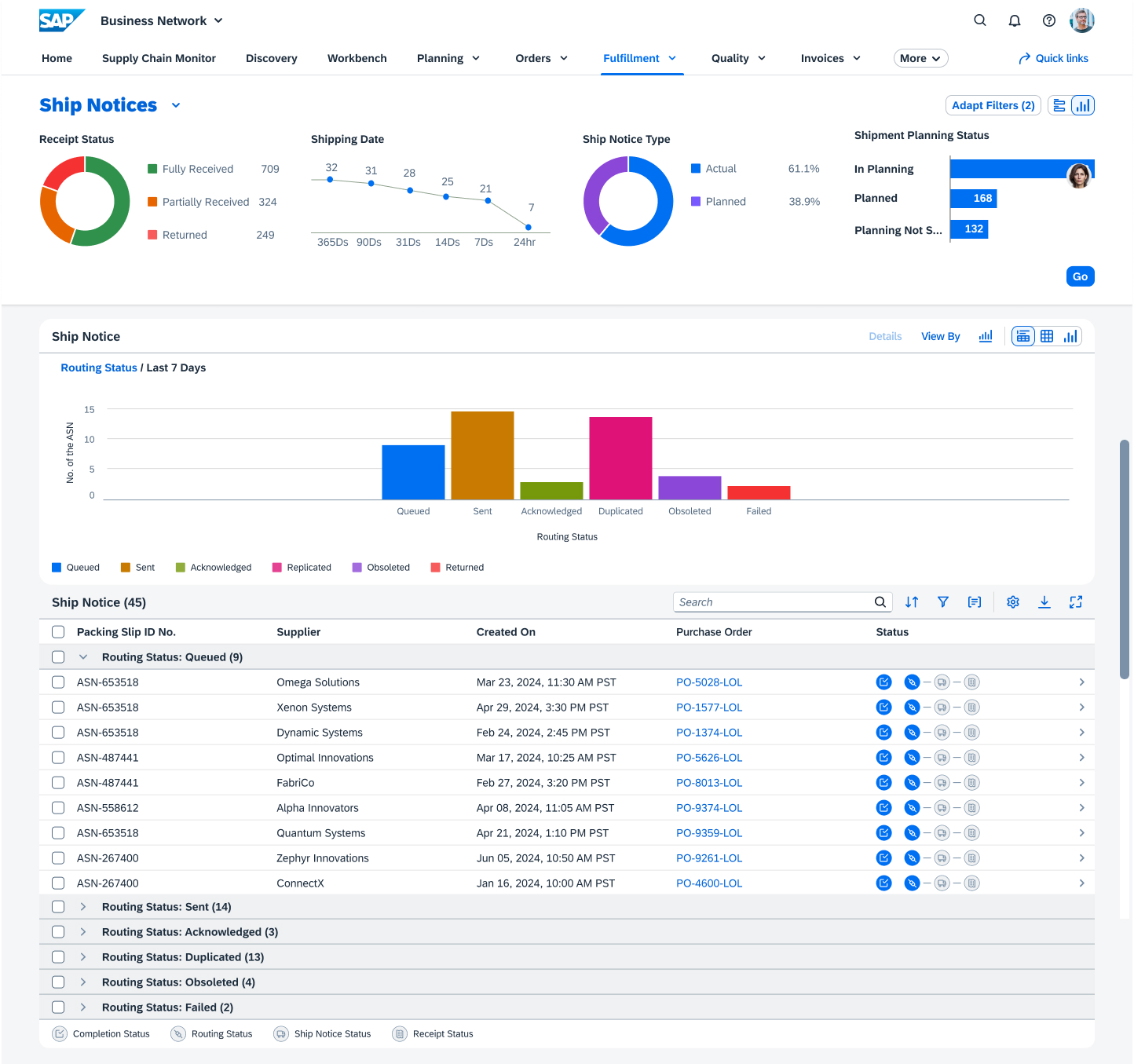
Separate common filter and advanced filter for a user-friendly concept.
Ensure teamwork-friendly collaboration and prevent multiple people from working on the same file simultaneously.
As a senior designer leading the team, I led the development of the ASN supplier flow from 0 to 1 over seven months, ensuring an efficient, user-centered experience. By collaborating closely with cross-functional teams, we optimized performance, addressed user feedback, and designed scalable workflows. We focused on simplifying processes, improving error handling, and enhancing efficiency. Moving forward, incorporating AI-driven features like personalized recommendations and automation will elevate the experience and further streamline supplier interactions.
Cross-functional collaboration and a user-centered approach are essential for building scalable, effective solutions.
Continuous iteration and user feedback help refine designs, improving usability and performance.
Prioritizing error handling and providing clear guidance enhances the user experience.
Real-time collaboration tools foster teamwork and reduce friction in design workflows.